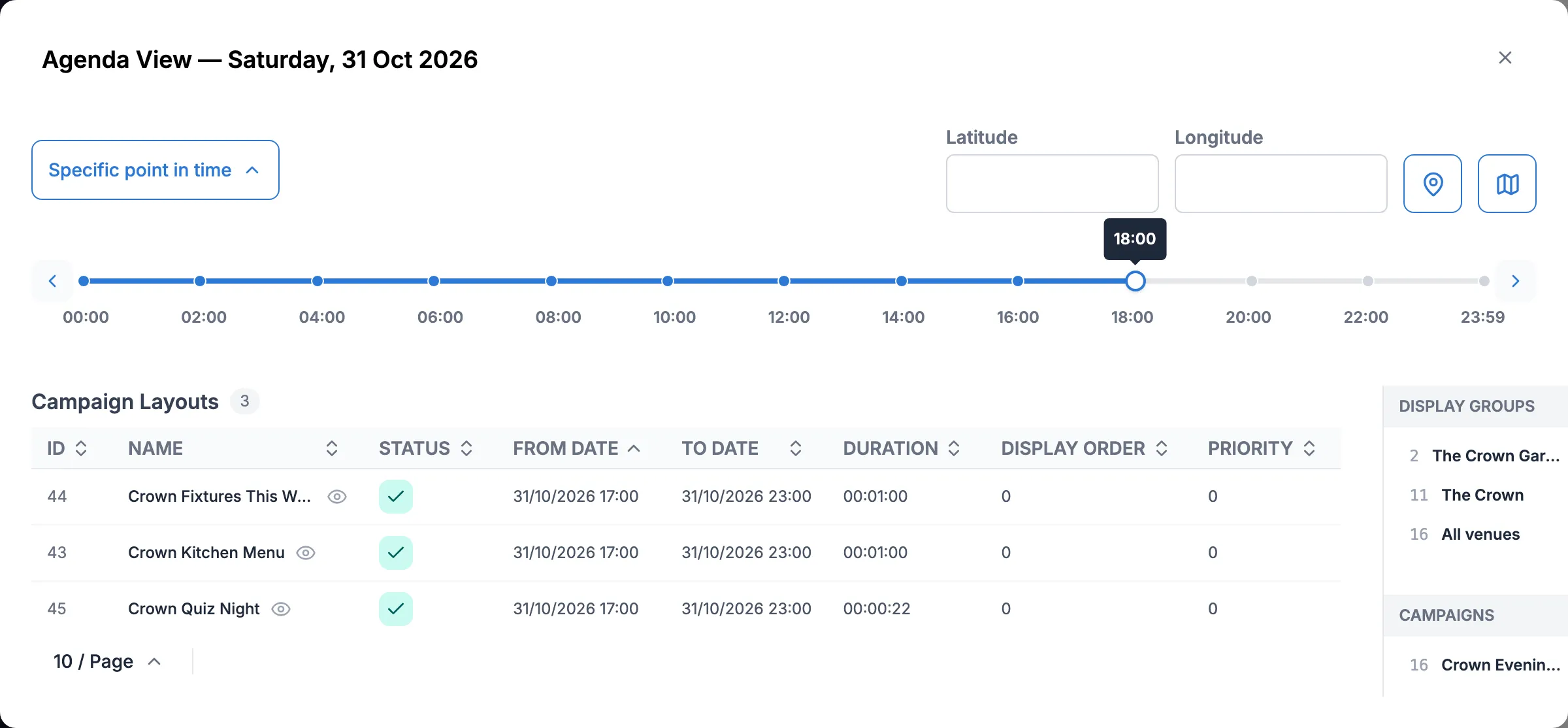
Pub: fixtures board and live sport
This tutorial follows The Crown, a pub in Bristol with three screens: one behind the bar, one in the garden room and one at the kitchen pass. By the end you’ll have:
- a fixtures board that reads its matches from a dataset, so updating the list takes a minute
- the board on the bar screen every afternoon
- a priority event that puts the board on all three screens for Saturday’s derby, then hands back to the usual menus and promotions when the match ends
Before you start
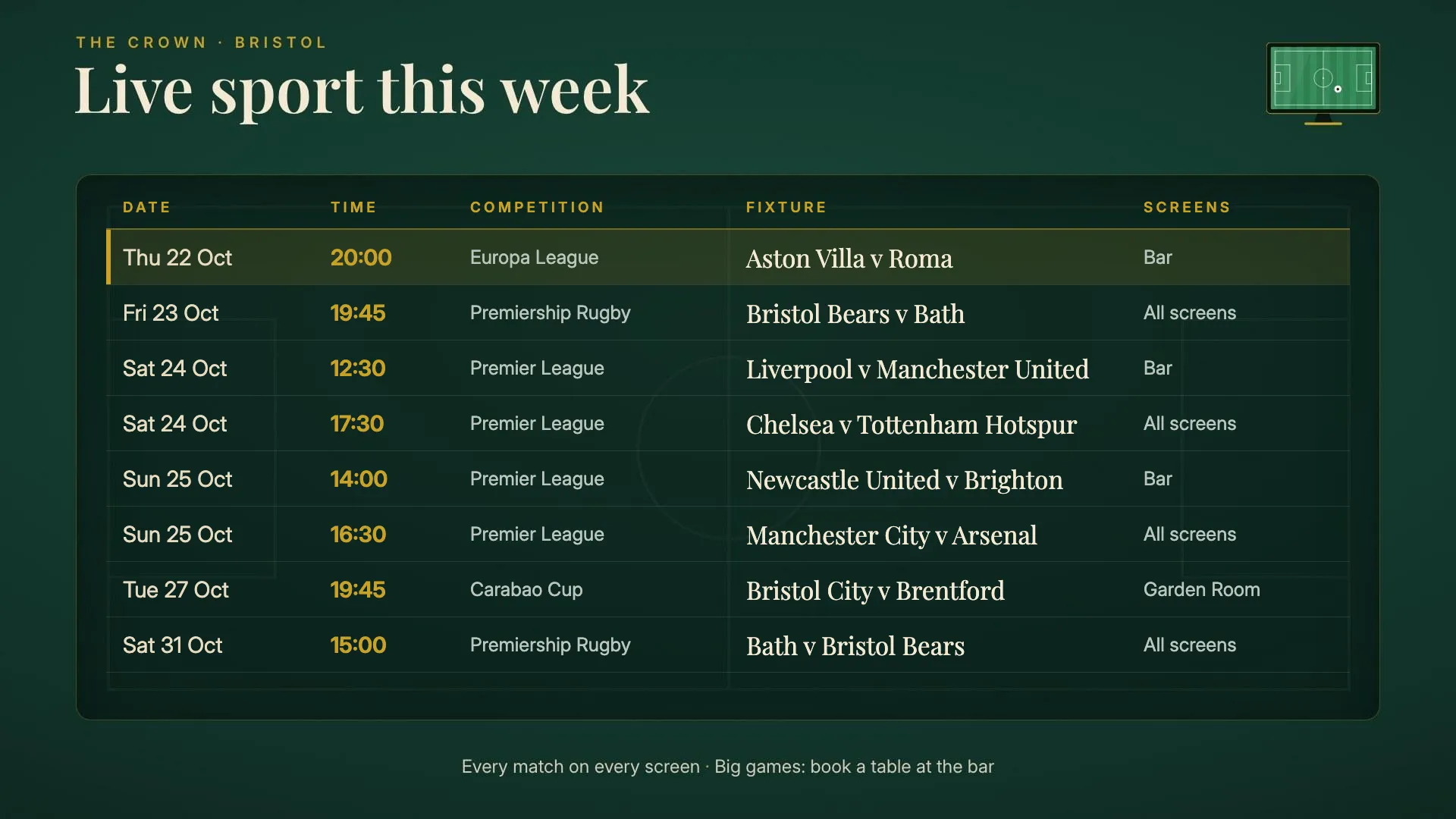
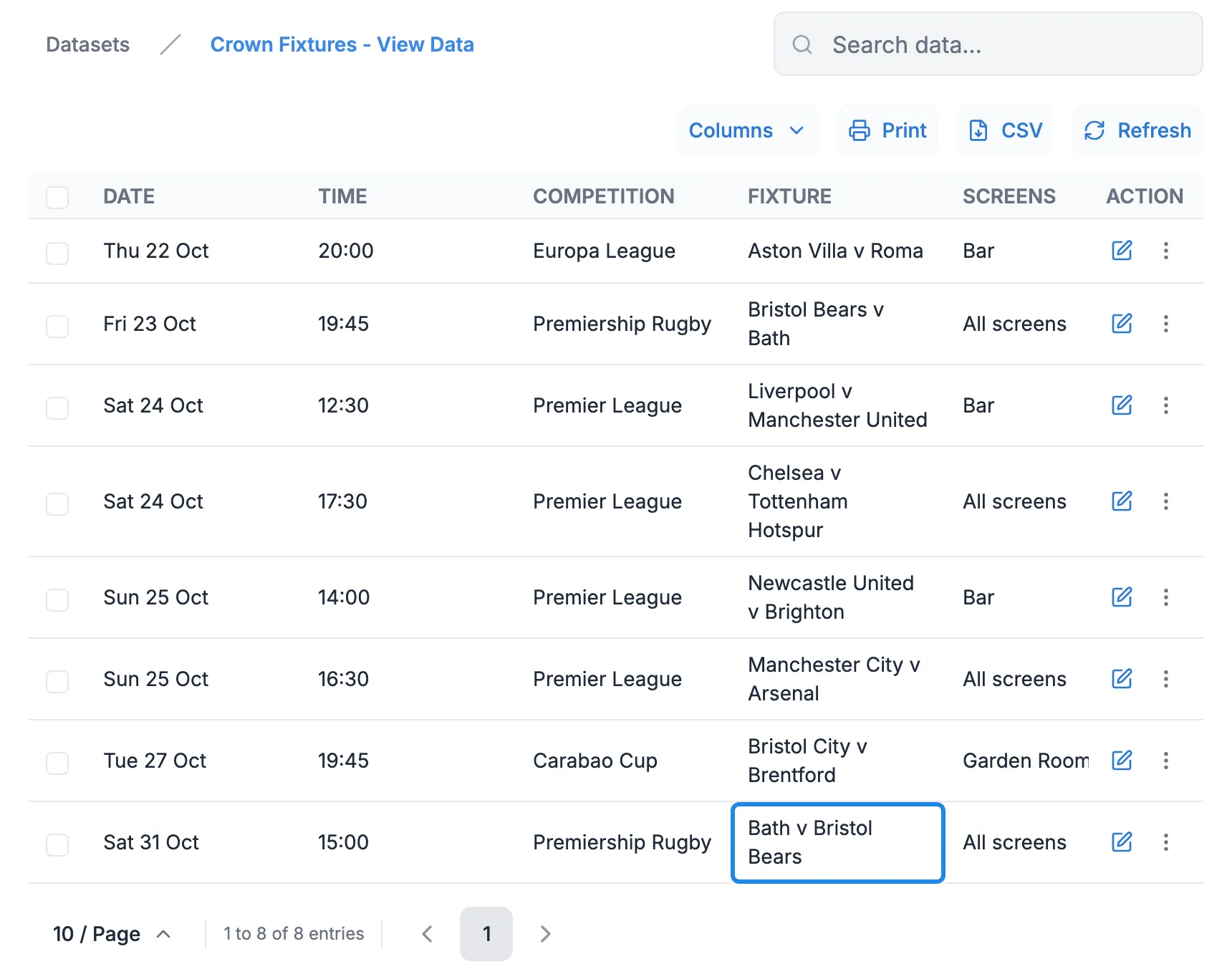
Section titled “Before you start”You need a layout that shows a dataset as a table, and the dataset itself. The Crown’s are called Crown Fixtures This Week (the layout) and Crown Fixtures (the dataset), with the columns Date, Time, Competition, Fixture and Screens. To build your own, see Show a table of data on screen and Design a layout.
1. Update the fixtures list
Section titled “1. Update the fixtures list”The board shows whatever is in the dataset, so adding a match is a one-row job. Remove matches once they’ve been played so the newest ones fit on the screen.
-
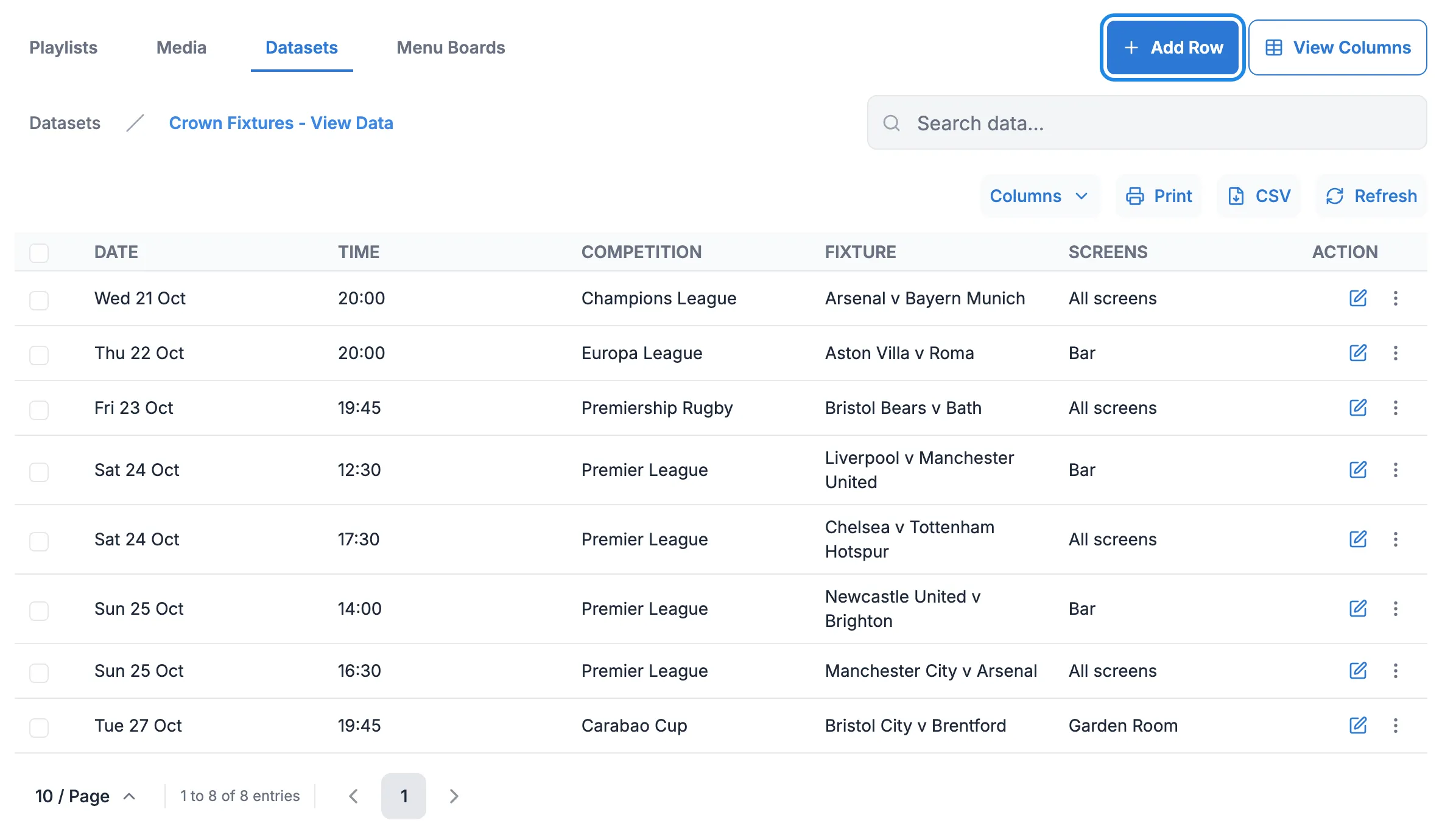
Click Library in the menu on the left, then Datasets. Open the dataset’s menu (the three dots at the end of its row) and click View Data. Click Add Row.
-
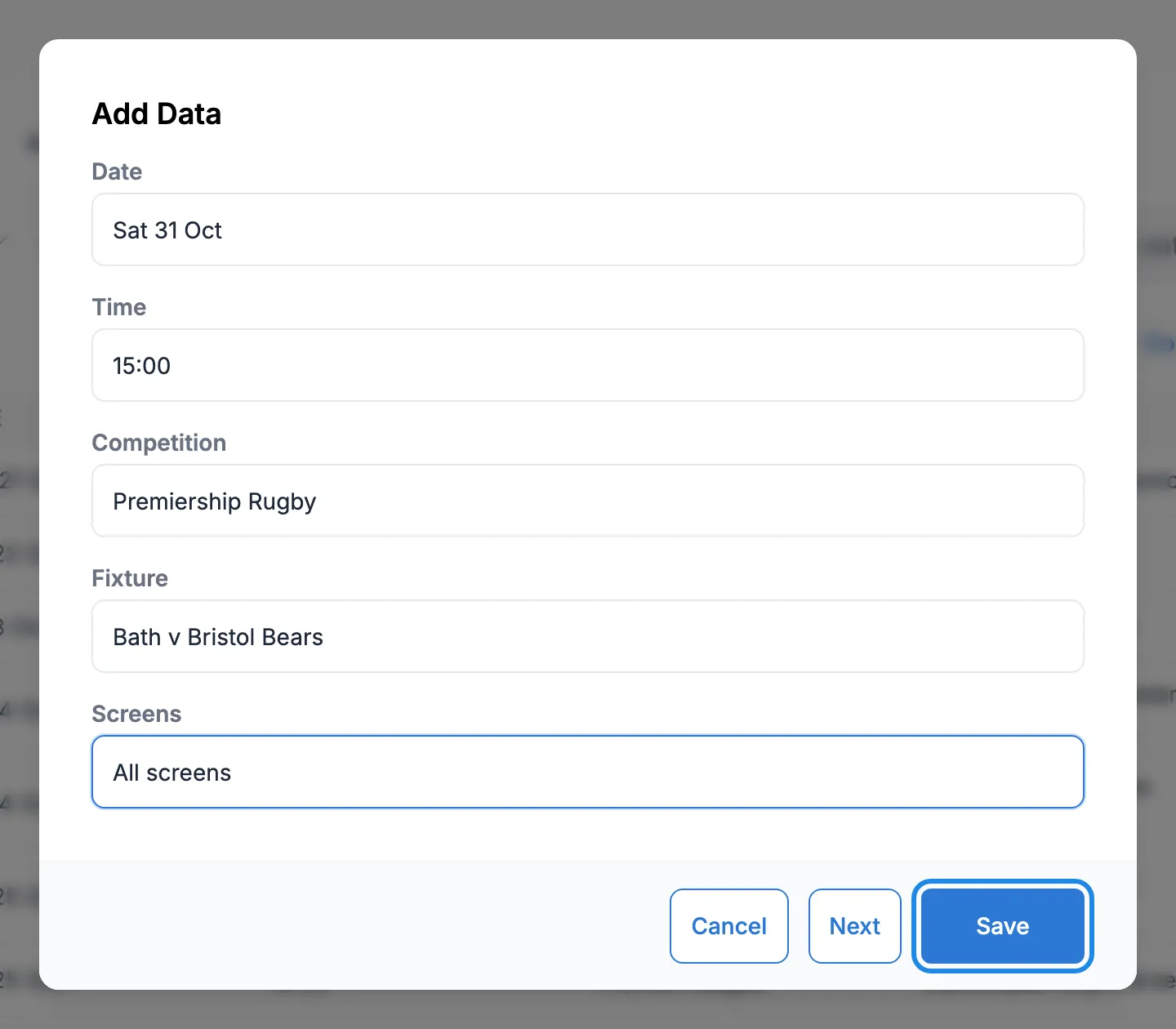
Fill in the match and click Save.
-
To remove a match that has been played, open its row’s menu and click Delete, then Yes, Delete.

The list now ends with Saturday’s derby. The board on the screens picks up the change without being republished.
2. Show the board on the bar screen every afternoon
Section titled “2. Show the board on the bar screen every afternoon”-
Click Schedule, then Events, then Add Event. Leave Event Type on Layout, choose Crown Fixtures This Week and click Next.
-
Tick The Crown Bar and click Next.
-
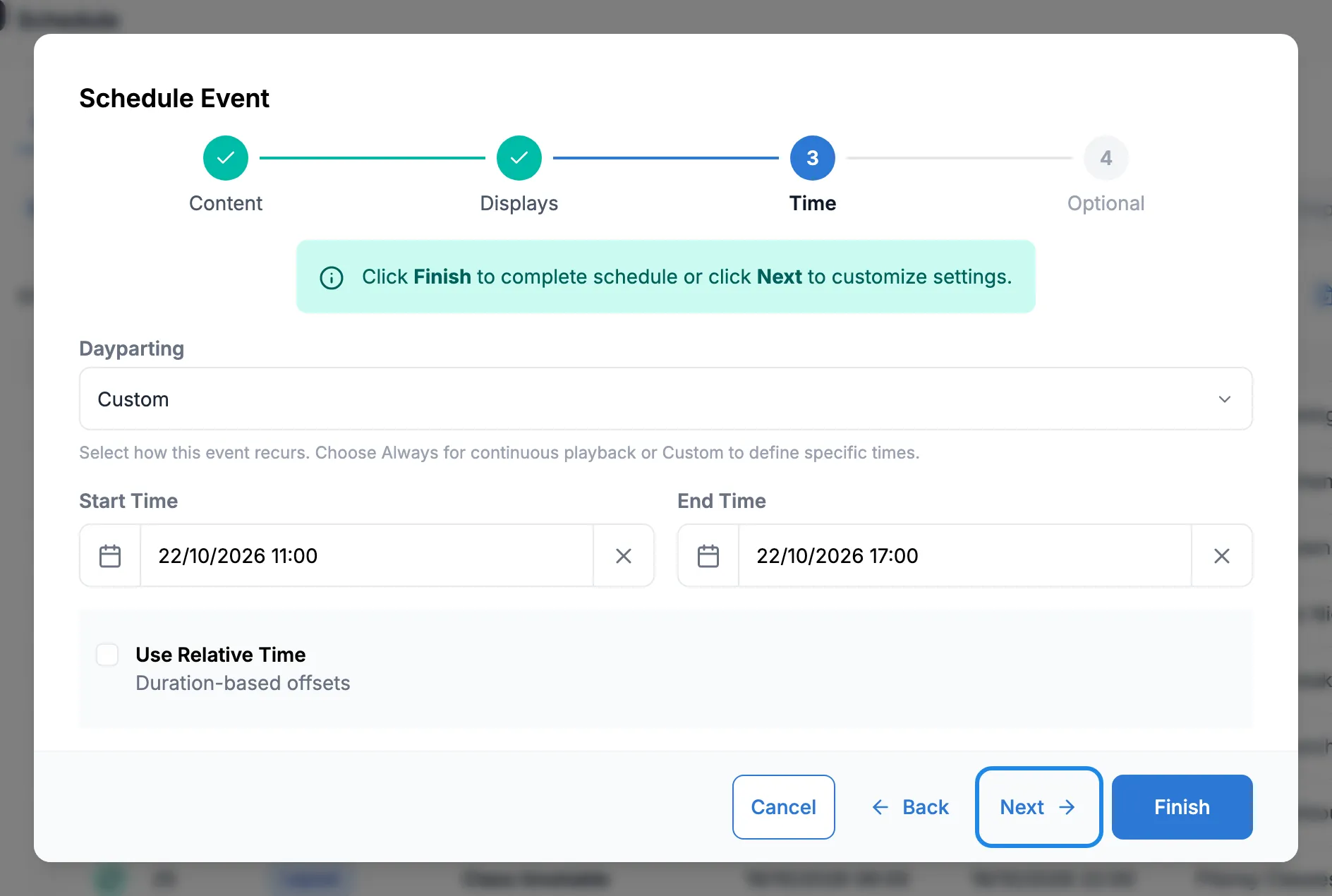
Choose Custom in Dayparting. Set Start Time to 11:00 and End Time to 17:00 on the first day. Click Next.
-
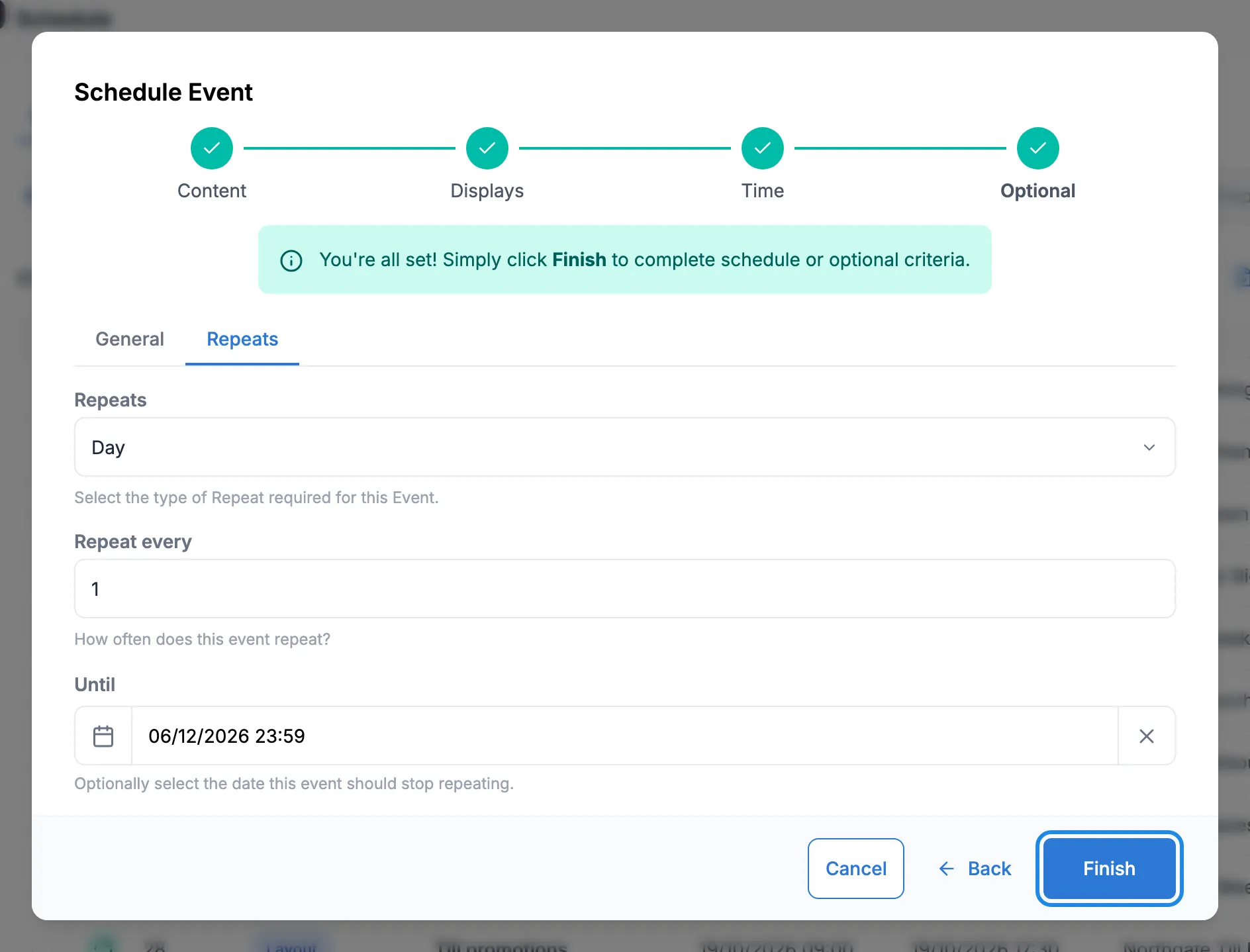
Name the event, for example “Fixtures board (daytime)”. On the Repeats tab, choose Day and set Until to the end of the season or the date you’ll next review it. Click Finish.
More on these options in Schedule content on your screens.
3. Take over every screen for the match
Section titled “3. Take over every screen for the match”For the big game, the board goes on all three screens, including the kitchen pass and the garden room, which normally show menus and promotions. A priority event does this and gives the screens back afterwards.
-
Click Add Event. Choose Crown Fixtures This Week again and click Next.
-
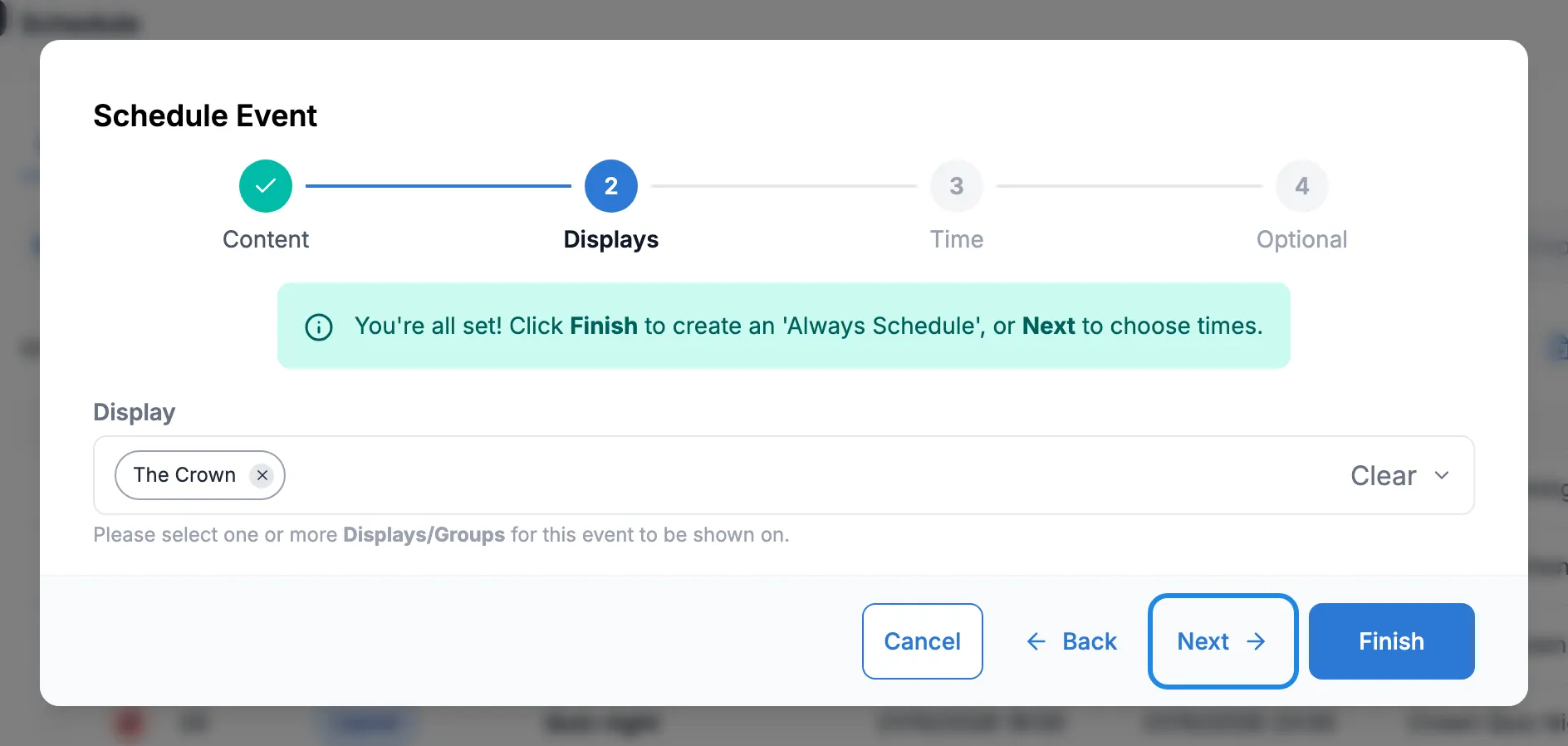
Tick the The Crown display group, which covers all three screens. Click Next.
-
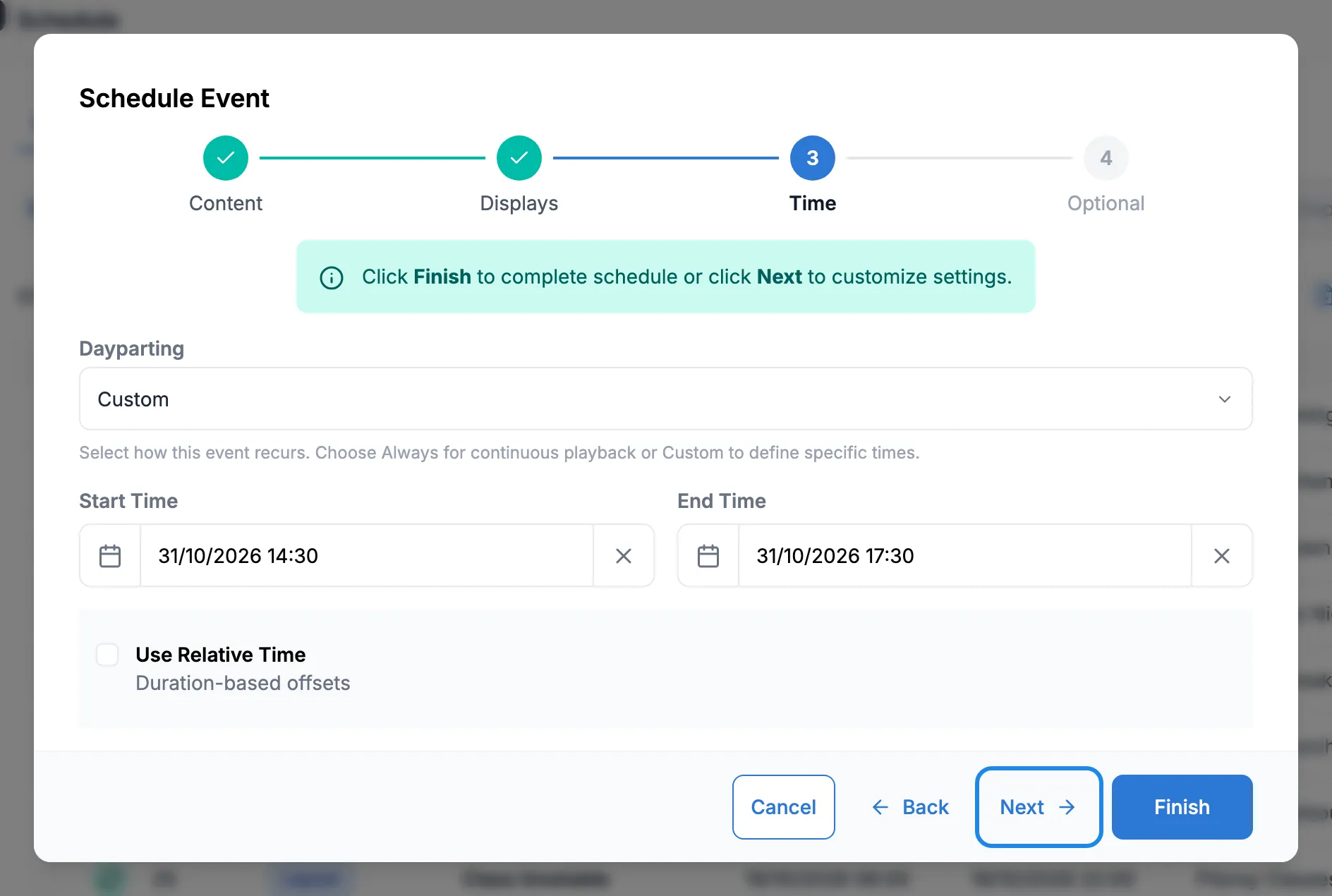
Choose Custom and set the times from a little before kick-off to after the final whistle: here 14:30 to 17:30 on Saturday 31 October. Click Next.
-
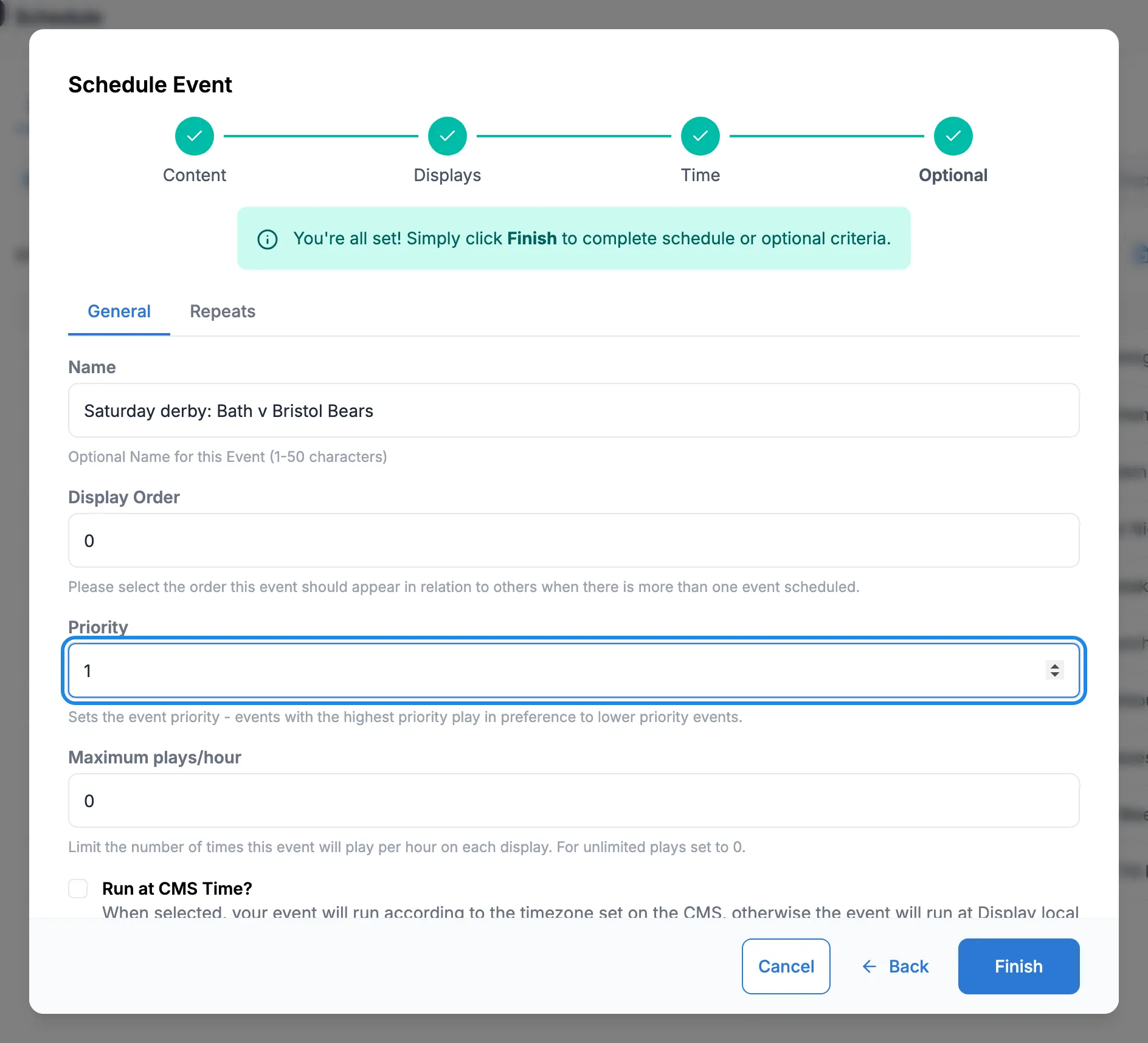
Name the event “Saturday derby: Bath v Bristol Bears” and set Priority to 1. Leave Repeats on None, as it’s a one-off. Click Finish.
4. Check it
Section titled “4. Check it”Click Calendar View, click Saturday 31 October and click Agenda. Click Specific point in time and pick a time during the match. Here the garden room screen at 16:00 has the fixtures board at priority 1, so it plays in place of the promotions playlist at priority 0.
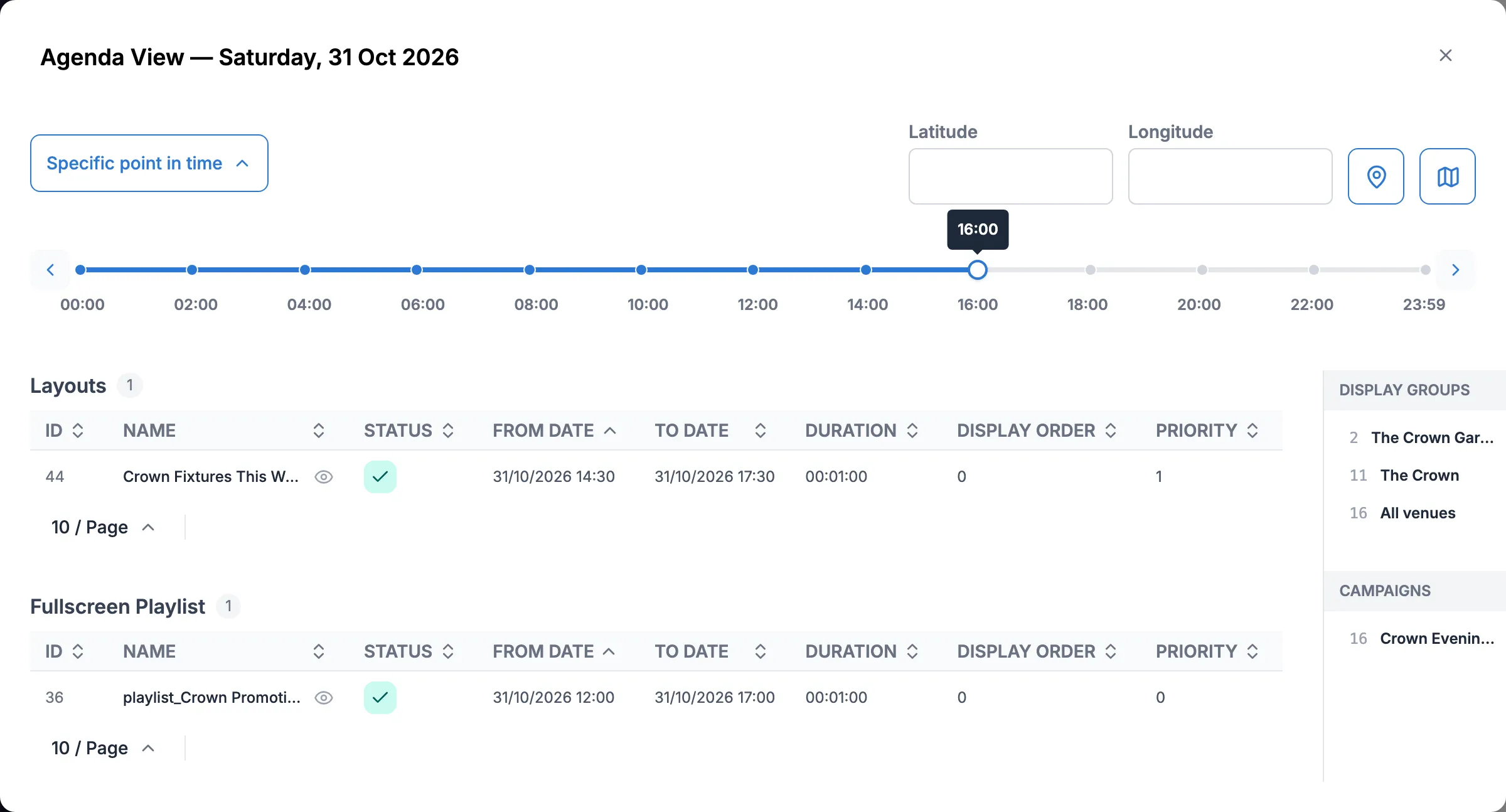
Move the time to 18:00. The derby has finished and the garden room is back on the evening rotation.